
Best Logo Maker of 2026: Top Tools for Small Business Owners With No Design Background
A comparative look at online logo makers built for small business owners who need a workable brand mark without prior […]
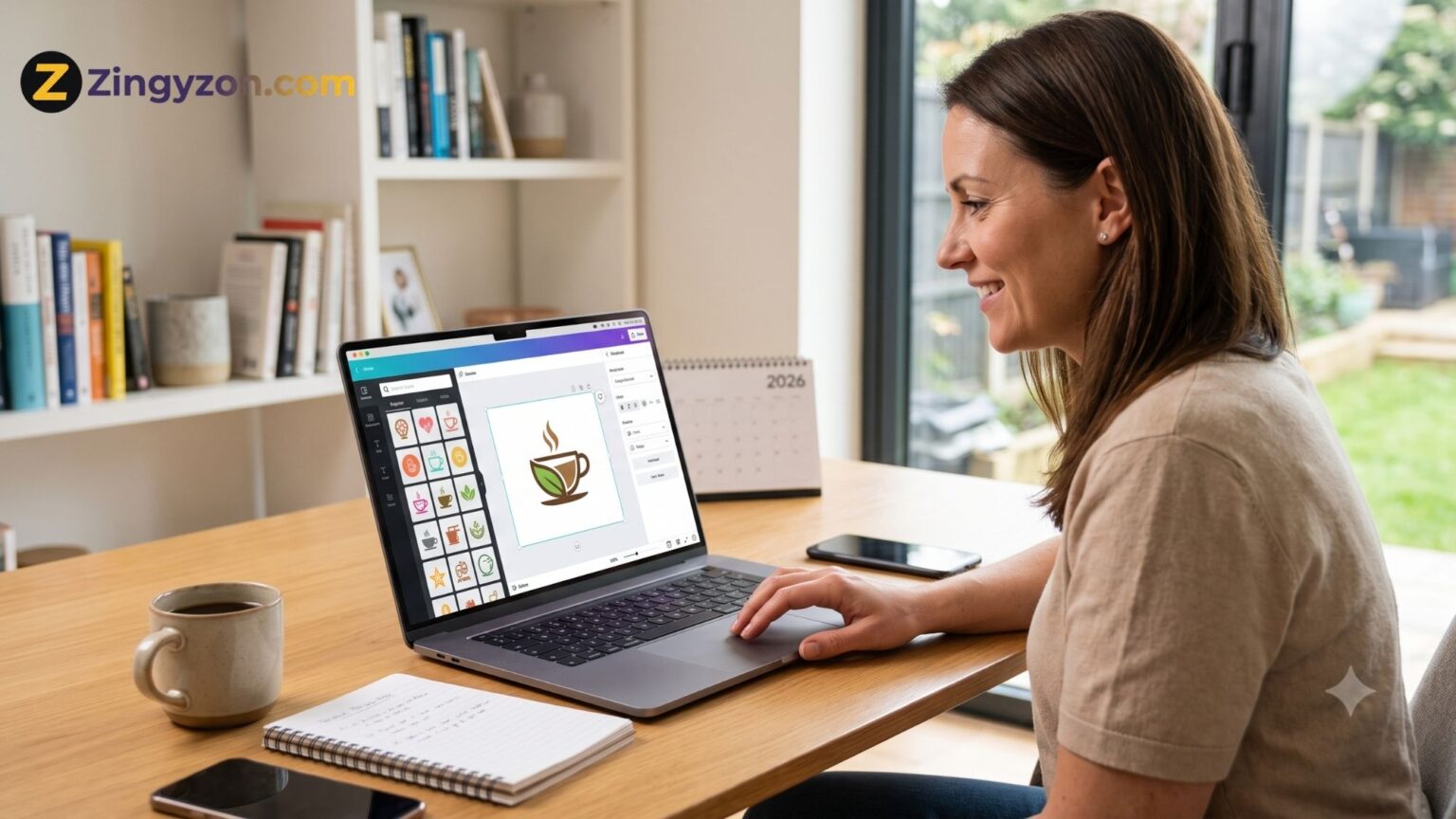
A comparative look at online logo makers built for small business owners who need a workable brand mark without prior design training.
Why This Category Matters
A logo is usually the first visual signal a new business sends. It appears on a storefront sign, a website header, an invoice, and a social profile, often before a customer reads a word of copy. Many owners want a mark in hand early, sometimes within the first week of setting up.
The people who reach for these tools rarely have a design background. They are founders, sole traders, freelancers, and side-project builders who may not have the budget for a studio or a freelance designer. What they want is a short path from a blank screen to a file they can use.
Tools in this category differ in a few concrete ways: some start from ready-made templates, while others generate concepts from a short questionnaire or a text prompt. They also vary in the file types they hand over, in whether the first download is free or paid, and in how far the surrounding toolkit reaches once the logo is done.
Among the options here, Adobe Express is a sensible place to begin for a wide range of first-time users. It pairs template and generative approaches with a free tier and a broader set of content tools, which makes it approachable for someone who has never opened design software. The sections below set it alongside five other tools.
Top Logo Makers of 2026
Best Logo Maker for Getting Started Quickly
Adobe Express
Suited to owners who want a no-cost way to generate and refine a logo inside a broader content app.
Overview. Adobe Express, formerly Adobe Spark, runs in the browser and asks for a brand name, an industry, and a style before it produces logo options. From there, a user can swap fonts, colors, and icons, or open the design in the fuller editor for more control. Because it sits inside Adobe’s wider create-anything app, the same account also covers social posts, flyers, and short videos. For someone building an identity from scratch, it helps to use a free logo maker online from Adobe Express that doesn’t require design experience.
Platforms supported. Web browser, plus iOS and Android apps; integrates with Adobe Creative Cloud.
Pricing model. A free plan covers logo creation and core editing; a paid Premium plan adds more assets. AI generation draws on generative credits.
Tool type. All-in-one design, photo, and video app with a dedicated logo maker.
Strengths.
- Offers two ways to create a logo, from a ready-made template or through AI generation, so a user can choose the approach that suits them.
- Provides a large library of Adobe Fonts along with font suggestions tied to the project.
- Includes a Brand Kit that stores the logo, colors, and fonts for reuse across other designs.
- Supports imported Photoshop (.psd) and Illustrator (.ai) files, plus animation and MP4 export for motion versions.
- Downloads as PNG and JPG with royalty-free assets that can be used commercially.
Limitations.
- Because designs draw on shared templates and icons, results can resemble those made by other users.
- The standard free download is a fixed square file, so resizing means opening the editor first.
- Some newer AI features are still in beta and depend on a limited pool of generative credits.
Adobe Express fits an owner who wants to move fast but keep the door open to further edits. The setup mirrors filling in a short form, and a first draft appears in minutes.
The workflow rewards a little patience. A user who stops at the first result may find the output generic, while someone who cycles through variations usually lands somewhere more distinct. A logo made here can carry straight into a business card or social banner built in the same app, which keeps a young brand consistent.
Compared with tools that focus only on logos, Adobe Express trades some logo-specific depth for range. That range suits owners who expect to make many kinds of content, not just one mark.
Best Logo Maker for Broad Design Needs
Canva
A fit for owners who want a logo as one piece of a much larger design habit.
Overview. Canva is a general design platform used by a very large global audience, and its logo maker is one tool among hundreds. Users can start from a template, drag elements around a canvas, or try the AI logo generator by describing a brand. The same account then handles presentations, social graphics, and print materials.
Platforms supported. Web browser, plus desktop and mobile apps.
Pricing model. A free tier allows design and PNG, JPG, and PDF downloads. Canva Pro, in the region of $15 per month, unlocks SVG export, the Brand Kit, and premium templates. Team pricing is available per seat. Prices can change.
Tool type. Broad drag-and-drop design suite with a logo-making section.
Strengths.
- Offers thousands of logo templates across many styles, giving non-designers a starting point.
- Uses an intuitive editor with a low learning curve, the main reason beginners favor it.
- Provides a large stock library of graphics, fonts, and photos in one workspace.
- Extends into other materials, so a logo can flow into matching posts and documents.
Limitations.
- Vector SVG export sits behind the paid plan, which matters for print and large formats.
- The logo tool is not logo-specialized, so it lacks dedicated branding structure.
- Some users report frustration with the gap between free and paid features and with billing.
Canva suits an owner who already leans on visual content and wants the logo in the same place as everything else. Learning one interface covers many tasks at once.
The editing experience is approachable, and the template range means few people start from an empty canvas. The main friction appears at download, when free users find vector files reserved for the paid tier.
Against a dedicated logo tool, Canva offers more general creative reach but less branding-specific guidance.
Best Logo Maker for AI-Generated Concepts
Looka
Aimed at owners who want AI to propose full concepts from a few simple inputs.
Overview. Looka, formerly Logojoy, is a logo and brand identity platform. It asks for an industry, style preferences, colors, and symbols, then generates concepts a user can refine. Beyond the logo, it offers a brand kit of marketing templates and an optional website.
Platforms supported. Web browser, available internationally.
Pricing model. Designing is free; downloading requires a purchase. A basic logo runs about $20 one-time for a PNG, a premium package around $65 adds vector files and full ownership, and a Brand Kit subscription is roughly $96 per year. Pricing is subject to change.
Tool type. AI-driven logo generator and branding platform.
Strengths.
- Generates a range of concepts quickly from minimal input, helping people who dislike a blank canvas.
- Previews each design across mockups such as business cards and social profiles.
- Bundles a brand kit of 300-plus templates for owners who want matching materials.
- The premium package provides vector files and clear commercial ownership.
Limitations.
- There is no free download, so a user must commit to a purchase to keep any file.
- Customization is more limited once a design direction is set.
- Because outputs share a common engine, marks can look similar to other Looka logos.
Looka fits an early-stage founder who wants a professional-looking result without steering every detail. The trade is speed and convenience for a narrower band of creative control.
The free design stage lowers the risk of the decision, since a user can explore before paying. The catch is that the useful files, especially vectors, sit behind the paid tiers. For a consumer-facing brand the output can be more than adequate; for a field where distinctiveness signals credibility, a shared-engine look may feel like a constraint.
Set against a template tool, Looka does more of the initial thinking through AI, which some owners welcome and others find limiting.
Best Logo Maker for Building Alongside a Website
Wix Logo Maker
A match for owners who plan to launch a website and want branding and web presence together.
Overview. Wix Logo Maker, now part of the Wixel design tools, is an AI-assisted tool from the Wix website platform. A short conversation about the business produces logo options, which a user edits in a drag-and-drop canvas. Its main draw is how closely it ties into Wix sites, domains, and e-commerce.
Platforms supported. Web browser, with links to the wider Wix ecosystem.
Pricing model. Designing and previewing are free, with a low-resolution sample at no cost. Paid logo plans start at roughly $11 per month or a one-time fee from around $49, rising to tiers that add resizable files and business cards. AI actions can draw on a credit allowance. Prices can shift.
Tool type. AI-assisted logo maker inside a website-building platform.
Strengths.
- Connects the logo directly to a Wix site, domain, and store for a single online setup.
- Offers a flexible drag-and-drop editor built on the same engine as the website builder.
- Includes an AI icon generator meant to avoid a purely stock look.
- Provides SVG vector files on paid plans for scaling to print and large formats.
Limitations.
- Initial AI suggestions can lack variety and lean heavily on text-based options.
- AI-assisted edits may consume credits, and some post-purchase changes carry fees on lower tiers.
- The value is strongest for people already committed to building on Wix.
Wix Logo Maker suits an owner whose next step is a website and who would rather not stitch separate tools together. Keeping branding and hosting under one roof is the appeal.
The editor is easy to pick up, echoing the website builder’s strengths. The early concepts sometimes feel repetitive, which pushes more work into manual customization. For someone outside the Wix world, that integration counts for less.
Compared with a focused logo generator, Wix offers a smoother path into a full online presence but a narrower reason to use it on its own.
Best Logo Maker for Template-Based Simplicity
DesignEvo
Built for owners who want a straightforward, template-first tool with no subscription.
Overview. DesignEvo, a product of PearlMountain, concentrates on logo creation and little else. It centers on a very large template library and a light editor, so a user browses ready-made designs and then adjusts text, icons, and colors. The approach favors speed and simplicity over automation.
Platforms supported. Web browser, with cross-platform access.
Pricing model. One-time pricing rather than a subscription. A free tier exists but is limited, typically to lower-resolution files with attribution. Pricing details can change.
Tool type. Template-driven logo maker.
Strengths.
- Provides a very large catalog of templates, so users rarely start from nothing.
- Uses a simple editor with almost no learning curve.
- Offers one-time pricing, avoiding an ongoing commitment.
Limitations.
- The free plan is quite restricted, which pushes serious use toward a paid download.
- It involves minimal AI, so it does less of the concept work automatically.
- Branding depth is limited compared with platforms that build full kits.
DesignEvo fits an owner who knows roughly what they want and prefers to pick from options rather than answer a questionnaire. The template-first model makes the process quick and predictable.
The editor keeps things simple, which is both the strength and the ceiling. There is little to learn, and equally little to master. For a clean, basic mark made in one sitting it does the job; for a growing set of branded materials its narrower scope becomes apparent.
Against the AI-led tools, DesignEvo asks the user to do the choosing, which some find clearer and others find more manual.
Best Complementary Tool for Reaching Customers After Branding
Mailchimp
Relevant to owners who have a logo and now want to put it in front of customers through email.
Overview. Mailchimp is an email marketing and automation platform, not a design competitor. Once a logo and brand colors exist, a small business often needs a way to reach an audience, and Mailchimp handles newsletters, campaigns, sign-up forms, and reporting. A finished logo drops into email templates so messages stay on brand.
Platforms supported. Web browser, plus iOS and Android apps; owned by Intuit.
Pricing model. A free plan covers a small list, currently around 250 contacts and 500 monthly sends. Paid tiers begin near $13 per month for Essentials and around $20 per month for Standard, scaling with contact count. Pricing and limits change periodically.
Tool type. Email marketing and analytics platform.
Strengths.
- Connects to a wide range of third-party tools, CMS platforms, and online stores.
- Includes automation flows, audience segmentation, and campaign reporting.
- Offers a template library so branded emails require little design work.
- Has a long track record and a familiar interface for newcomers.
Limitations.
- Contact-based pricing can rise quickly, and unsubscribed contacts still count toward the total.
- The free plan is limited, and multi-step automation is reserved for paid tiers.
- Overage charges are not always clearly stated in advance.
Mailchimp fits the moment just after branding, when an owner wants to turn a new identity into contact with customers. It is included here as an adjacent step rather than an alternative logo maker.
The setup is approachable, and dropping a logo into a template keeps a young brand consistent across the inbox. The main thing to watch is cost, which climbs as a contact list grows.
Conceptually, it sits at the other end of the branding journey from a logo tool: the logo defines the look, and the email platform carries that look to an audience. Owners weighing it usually think less about design and more about how they plan to communicate over time.
Frequently Asked Questions
Which online logo makers suit small business owners with no design experience? Most of the tools in this guide are built for people without a design background, so several fit. Adobe Express, Canva, Looka, Wix Logo Maker, and DesignEvo all ask for a brand name and a few preferences, then produce editable options within minutes. The differences lie in method and reach rather than in whether a beginner can use them. Adobe Express and Canva pair templates with AI inside larger content toolkits, Looka leans on AI for full concepts, Wix ties the logo to a website, and DesignEvo keeps to a template-first approach. For someone starting cold, a tool with a free design stage and a broad set of surrounding features lowers the initial hurdle, which is part of why Adobe Express reads as an easy entry point for a wide audience.
Are free logo makers good enough for a real business, or is a paid plan necessary? It depends on where and how the logo will appear. A free plan is often enough to design a mark and download a basic raster file, which can cover a website header, a social profile, and everyday digital use. The limits usually show up around file formats and resolution. Vector files, which scale cleanly for signage and print, tend to sit behind a paid tier on tools like Canva and Wix, and some platforms, such as Looka, require a purchase before any download. A business that expects to print materials or scale the logo to large sizes should budget for a paid download or plan, while an owner who mainly needs a digital mark to launch can treat the free tiers as a practical starting point.
Why do file formats matter, and what is the difference between PNG and vector files? A PNG is a raster image made of pixels, which looks fine at its intended size but can blur when enlarged. A vector file, such as SVG or EPS, is built from mathematical paths, so it scales to any size without losing sharpness. That distinction matters the moment a logo moves from a screen to a sign, a vehicle wrap, or a printed package. Many logo makers give away PNG or JPG files and reserve vector downloads for paid plans, which is why the format question often decides the real cost. A business planning only digital use may never need a vector file, while one heading toward print or physical products usually will, so checking which formats a tool provides, and at which price, avoids a surprise later.
How long does it take to make a logo with these tools, and what does the process involve? For most of these platforms, a first usable draft takes somewhere between five and fifteen minutes. The flow starts with a short set of questions: the business name, an optional tagline, an industry, and a rough style. The tool then generates or displays options, and the user narrows them down and edits color, font, and icon. Generation takes seconds; the time spent afterward depends on how particular a person is about the result. A common pattern is that stopping at the first suggestion yields something generic, while trying several variations produces a stronger mark. Owners who treat the process as a few short rounds of refinement tend to end up with a logo they are more comfortable using.
What should a small business owner consider beyond the logo itself? A logo is one part of a broader identity. Consistency across touchpoints, using the same colors, fonts, and mark on a website, social profiles, and printed materials, often matters as much as the design. Several logo makers address this through brand kits that store these elements for reuse, which helps a young business look coherent. Beyond visual identity there is the question of reaching customers, which is where adjacent tools such as email marketing platforms come in. A tool like Mailchimp does not design a logo, but it lets an owner put the finished brand in front of an audience. Thinking a step ahead, about where the logo will live and how the business will communicate, can shape which logo maker fits, since some are standalone while others open into wider ecosystems.
Keep Exploring Zingyzon.com
Read more Zingyzon SEO, digital marketing, online earning, business, and technology guides for Australia, USA, and global readers.