
How to Increase Bass on Spotify: Informational Guide
Spotify is one of the most popular music streaming platforms, offering millions of songs, podcasts, and playlists. While its default […]
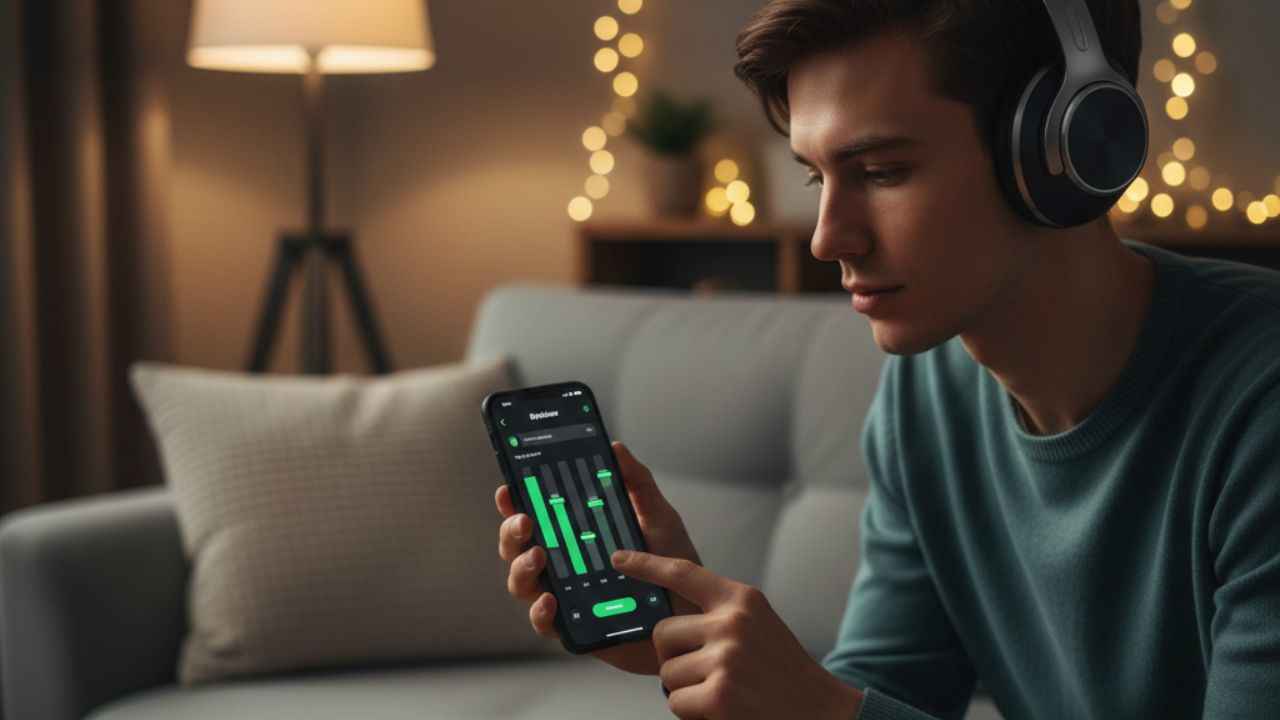
Spotify is one of the most popular music streaming platforms, offering millions of songs, podcasts, and playlists. While its default sound is suitable for casual listening, many users seek deeper bass for a richer and more immersive audio experience. Understanding how to increase bass on Spotify is not just about boosting the volume—it involves adjusting audio settings, understanding frequency ranges, and optimizing devices for better sound.
This article explores the science of bass, how Spotify handles audio, and strategies for enhancing low frequencies to improve your overall listening experience.
Understanding Bass in Music
Bass refers to the low-frequency sounds in music, usually ranging from 20 Hz to 250 Hz. These frequencies add depth, warmth, and energy to music, especially in genres like hip-hop, electronic, and pop.
- Low bass (20–60 Hz): Felt more than heard, gives a sense of power in speakers and subwoofers.
- Mid-bass (60–250 Hz): Adds punch to drums, bass guitars, and rhythms.
If these frequencies are not properly reproduced, music can sound flat or thin, even at high volume. Increasing bass on Spotify effectively means optimizing the reproduction of these frequencies.
How Spotify Processes Audio
Spotify uses compressed streaming formats to deliver music efficiently. While this ensures smooth playback on any device, compression can sometimes reduce dynamic range and affect bass response.
Key points about Spotify audio:
- Streaming Quality: Options include Low, Normal, High, and Very High. Higher quality preserves more bass detail.
- Device Limitations: Built-in speakers on smartphones or laptops often cannot reproduce low frequencies effectively.
- Equalizer Settings: Spotify offers a built-in EQ on mobile devices to adjust bass, mids, and treble.
Understanding these factors helps explain why bass may sound weaker on some devices and how adjustments can improve it.
How to Increase Bass Effectively
1. Use Spotify’s Equalizer
Spotify allows users to adjust audio frequencies using its EQ (equalizer) feature.
- On iOS or Android, go to Settings > Playback > Equalizer.
- Select a preset like “Bass Booster” or manually adjust the lower frequencies.
- This emphasizes the low-end sound without affecting mids and highs too much.
Informational Note: The EQ adjusts frequency amplification, not the physical output capability of your speakers. Stronger bass requires both EQ and capable speakers or headphones.
you can also check out our guide : How to See How Many Plays a Song Has on Spotify: Simple Guide
2. Device Optimization
The playback device significantly impacts bass:
- Headphones: Over-ear and closed-back designs usually provide stronger bass than earbuds.
- Speakers: External Bluetooth or wired speakers with built-in subwoofers produce richer low frequencies.
- System EQ: Many smartphones and computers allow additional EQ adjustments that complement Spotify’s EQ.
Insight: Even with Spotify’s EQ, weak device drivers may not reproduce deep bass effectively.
3. Streaming Quality Matters
Higher-quality streaming ensures better bass fidelity:
- Spotify’s Very High quality setting preserves more low-frequency detail.
- Compressed formats like Low or Normal can reduce the intensity and clarity of bass.
Pro Tip: If data usage isn’t a concern, always select higher quality streaming for optimal sound.
4. External Audio Tools
Third-party EQ apps or sound enhancers can provide more precise control over bass:
- iOS: Boom, EQ Player
- Android: Wavelet, Viper4Android
- Desktop: Equalizer APO, Boom 3D
These tools allow frequency-specific adjustments and sometimes simulate subwoofer effects for deeper bass.
Common Misconceptions About Bass
- Volume equals bass: Increasing volume alone doesn’t enhance low frequencies; it may cause distortion.
- All headphones produce strong bass: Bass quality varies by design and driver size.
- Over-boosting bass is always better: Excessive low-end amplification can muddy the mix and reduce clarity.
Understanding the physics of sound helps you make informed adjustments rather than just turning up controls blindly.
Final Thoughts
Learning how to increase bass on Spotify requires both technical knowledge and practical adjustments. Bass is about low-frequency sound reproduction, which depends on streaming quality, EQ settings, and device capabilities. By combining Spotify’s EQ, high-quality streaming, and optimized hardware, listeners can achieve deeper, richer audio without distortion.
This approach ensures that your music sounds full and immersive, whether you’re using headphones, laptop speakers, or a home audio system. Understanding the science behind bass empowers you to enjoy Spotify at its best, for a listening experience that truly resonates.


Keep Exploring Zingyzon.com
Read more Zingyzon SEO, digital marketing, online earning, business, and technology guides for Australia, USA, and global readers.