
Top AI Face Swap Tools: Make Realistic AI Edits and Videos
A variety of applications currently integrate AI face-swapping technology with advanced tools such as an AI image-to-video generator, allowing creators […]
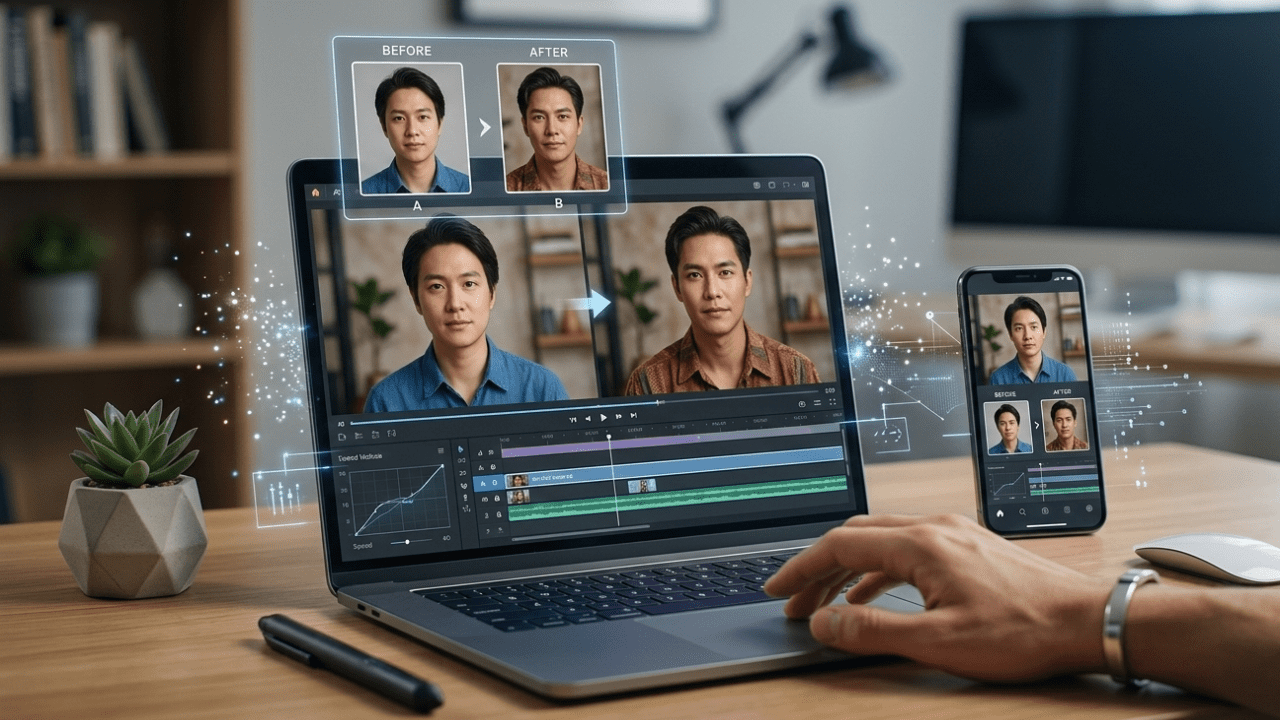
A variety of applications currently integrate AI face-swapping technology with advanced tools such as an AI image-to-video generator, allowing creators to animate still images or turn a single photograph into a cinematic clip.
This paper contrasts the ideal tools of today. I tried a few platforms that are anchored in realism, flexible editing, and workflow speed. The idea is to make it easy for creators to find the right tool for their projects.
Best Face Swap Online Tools in a Quick Glance
| Tool | Best For | Modalities | Platforms | Free Plan | AI Image to Video Generator |
| Magic Hour | Professional face swaps & video creation | Photo + Video | Web | Yes | Yes |
| Reface | Social media content | Photo + Video | iOS, Android, Web | Yes | Limited |
| FaceSwap.dev | Open-source experimentation | Photo | Desktop | Yes | No |
| DeepSwap | video creation | Photo + Video | Web | Trial | Yes |
| Remaker AI | Quick online editing | Photo+ Video | Web | Yes | Yes |
Magic Hour
Magic Hour is the best choice for creators who desire to swap faces and generate videos.
The site combines AI face swap with an AI image-to-video generator, allowing a user to transform still images into moving videos while preserving natural facial expressions.
It is usually used by content creators, marketers and filmmakers as a part of social media videos, advertising visuals, and storytelling.
Pros
- Good quality AI face swap outputs.
- Built-in AI image to video generator
- Easy web-based interface
- Photos and video works.
- Fast processing time
Cons
- The advanced exports may require a paid service.
- The high-resolution rendering is slower.
Evaluation
I have tried several tools, but Magic Hour has produced some of the most realistic swaps I have seen. The facial alignment also did not alter, even when the subject moved. If you are interested in a service that merges face swapping with AI-based video animation, this variant is hard to resist.
Pricing
- Free plan available
- Creator plan: ~$10-$15/month
There are professional levels that can be utilised to have larger output limits.
Reface
Reface has a long-standing reputation for viral face-swapping content on platforms such as TikTok and Instagram.
The app focuses on short, entertainment-based edits that let users add their faces to movie clips, memes, or trending video templates.
Pros
- Mobile-friendly interface
- Huge template library
- Fast answers to posts on social media.
- Free version available
Cons
- Limited customization
- Watermarks on the free plan
- Weakened control as compared to professional tools.
Evaluation
Reface is best for quick edits. Although it offers face-swap video features, it has a more limited capability than sites that also offer an AI image-to-video generator.
Pricing
- Free plan available
- Premium plan: ~$7/month
DeepSwap
DeepSwap is an efficient web-based application that serves creators who need deeper results.
The site offers AI-powered face-swapping for videos, photos, and GIFs, making it a favourite among digital artists and content creators.
Pros
- Supports multi-face swaps
- Works with GIFs and videos
- High-resolution results
- Cloud-based processing
Cons
- Most features are subscription-based.
- Beginners will find the interface technical.
Evaluation
DeepSwap is good when video face swapping with a good level of accuracy is important to you. It is also similar to an AI image-to-video generator in that it lets creators create animated sequences from still images.
Pricing
- Limited free trial
- Paid plans begin at approximately 19/month.
FaceSwap.dev
FaceSwap.dev is an open-source project aimed at experimentation and AI development.
It is not a web-based application like most cloud tools, but it runs on your computer, which is desirable for developers and advanced users.
Pros
- Open-source software
- Full customization
- Local privacy processing.
- Strong community support
Cons
- Installation cannot be done without technical expertise.
- A GPU recommended for good performance.
- No built-in AI picture-to-video converter.
Evaluation
FaceSwap.dev is more suited to researchers and developers. Nevertheless, artists who are in a hurry to achieve something can use web-based tools.
Pricing
- Free (open source)
Remaker AI
Remaker AI is devoted to online rapid editing, including face swaps and AI animation.
Its machine-learning picture-to-video translator lets users turn portraits into talking videos or animations.
Pros
- Web-based editing
- Swamp supports video and photo swapping.
- Includes animation tools
- Free plan available
Cons
- The free version is limited in its usage.
- The output quality differs from the source image.
Evaluation
Remaker AI is useful for developers exploring AI content. The tool’s animation capabilities make it a versatile option for fast video projects.
Pricing
- Free plan available
- Paid plans start at $10/month.
How We Chose These AI Face Swap Tools
In order to test these tools, I took some time to test some real-world uses, such as:
- Photo face swaps
- Video face swaps
- AI-generated animation
- Rendering speed
- Output realism
Each platform was rated on five main criteria:
- Accuracy of face alignment
- Video editing capabilities
- The image-to-video generator leverages AI capabilities for images.
- Ease of use for creators
- Pricing and accessibility
I also tried tools with various image types, such as portraits, group photos, and video clips.
Quotable takeaway:
The most successful AI face swap algorithms combine realistic facial mapping with powerful video generation.
The Trends in the AI Face Swap Technologies in the market.
Over the last two years, the field of AI face swapping has expanded exponentially.
The market is being influenced by several trends.
AI Image to Video Generators
Most websites currently use AI face-swapping with image-to-video technology, allowing users to animate images.
It gives creators the opportunity to transform still portraits into speaking avatars or movie clips.
Creator-Focused Tools
A greater number of businesses are developing tools which are:
- YouTube creators
- TikTok editors
- Marketing teams
These platforms dwell on speed and simplicity.
Realism Improvements
Deep learning algorithms have become more realistic in creating facial expressions and lighting changes.
Research conducted by the Stanford AI Lab found that generative models have become much more realistic in synthetic media as models have advanced.
Ethical Guidelines
Platforms are implementing tougher restrictions to curb the abuse of deepfake technology.
Most applications now allow users to enable or restrict face swapping and the use of celebrities.
FAQ’s
What is an AI face swap tool?
An AI face-swap app uses machine learning algorithms to replace a face in a picture or video with another, preserving expressions and lighting.
Are AI face swap videos possible?
Yes. Numerous current services include an artificial intelligence image-to-video generator that animates a static image and its facial motions.
Are AI face swaps legal?
In most places, AI face swap applications are legal as long as one is responsible. Misuse of impersonation or deception may violate the platform’s laws or policies.
What is the easiest to use AI face swap tool?
Applications such as Magic Hour and Remaker AI are easy to use with automatic editing features.
Are AI face swap tools technical skills?
Most web-based tools do not require technical knowledge. Nonetheless, open-source software such as FaceSwap.dev may require installation and computer resources, including a graphics card.
Keep Exploring Zingyzon.com
Read more Zingyzon SEO, digital marketing, online earning, business, and technology guides for Australia, USA, and global readers.