
The Complete Guide on How to Reset Galaxy Buds
Are your Samsung Galaxy Buds acting up—refusing to pair, cutting off sound, or not responding to touch? Don’t worry; most […]
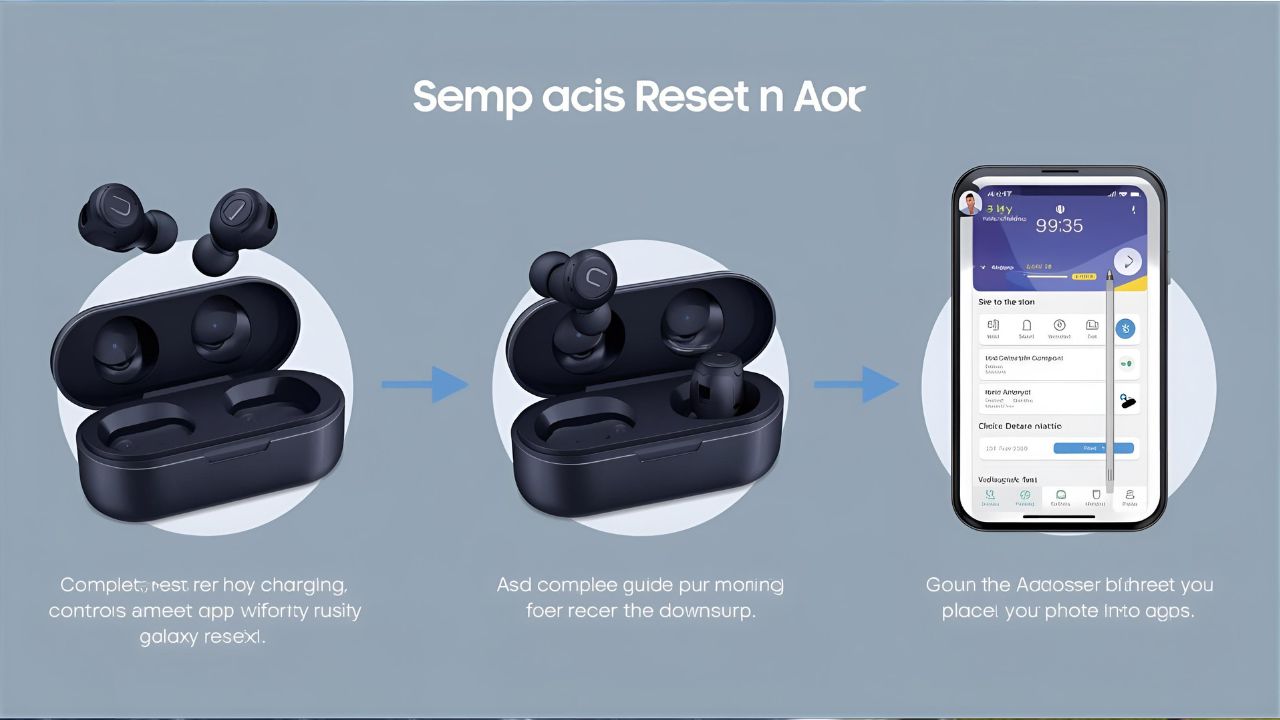
Are your Samsung Galaxy Buds acting up—refusing to pair, cutting off sound, or not responding to touch? Don’t worry; most of these problems can be fixed with a simple reset. Knowing how to reset Galaxy Buds can save you time and frustration, whether you’re using Galaxy Buds, Buds+, Buds Live, Buds Pro, or the latest Buds2.
This guide will walk you through why you might need a reset, step-by-step instructions for different models, and tips to get them working like new again.
Read also: How to Clear Discord Chat: A Complete Guide
Why Might You Need to Reset Galaxy Buds?
Resetting your Galaxy Buds can resolve a variety of issues, such as:
- Connectivity problems: Buds not pairing with your phone, tablet, or laptop.
- Audio glitches: Distorted sound, imbalance between left and right earbuds, or muffled audio.
- Unresponsive controls: Touch sensors not reacting as they should.
- Sync issues: One earbud playing out of sync with the other.
- Battery or charging errors: Buds not charging correctly in the case.
- Factory reset for resale or gifting: Wipes all paired devices and personal settings.
What You Need to Reset Galaxy Buds
- A charged charging case for your earbuds.
- Your connected device (usually your Samsung phone) with the Galaxy Wearable app installed.
- Just a few minutes of your time.
How to Reset Galaxy Buds (General Method)
Here’s the standard method that works for most Galaxy Buds models:
- Place both earbuds in the charging case and make sure they are properly seated.
- Close the lid of the case and wait about 10 seconds.
- Remove the earbuds from the case and insert them into your ears.
- Open the Galaxy Wearable app on your smartphone.
- Go to Earbud settings > Reset (sometimes listed as “About earbuds” > “Reset”).
- Confirm the reset.
This will return the earbuds to factory settings and disconnect them from all previously paired devices.
Resetting Different Galaxy Buds Models
Samsung has released several models, and while the reset process is similar, here are tailored instructions for each:
1. How to Reset Galaxy Buds & Buds+
- Insert both earbuds into the charging case.
- Wait at least 7 seconds with the lid closed.
- Open the Galaxy Wearable app, go to About earbuds, and tap Reset.
2. How to Reset Galaxy Buds Live
- Place earbuds in the charging case and close the lid.
- Wait for 10 seconds.
- Reopen the case and connect to the Galaxy Wearable app.
- Tap Earbud settings > Reset earbuds.
3. How to Reset Galaxy Buds Pro / Buds2
- Place both earbuds into the charging case.
- Keep the case closed for 10–15 seconds.
- Open the case and launch the Galaxy Wearable app.
- Select Reset from the settings menu.
Troubleshooting Tips if Reset Doesn’t Work
- Forget and Re-pair: Go to your phone’s Bluetooth settings, “Forget” the Galaxy Buds, then pair them again.
- Check for updates: Use the Galaxy Wearable app to install the latest firmware.
- Clean the earbuds: Dirty charging contacts can cause connection and charging issues.
- Manual reset: If all else fails, discharge the earbuds completely, recharge them fully, and try pairing again.
Conclusion
Learning how to reset Galaxy Buds is a quick and effective way to solve common problems like connection drops, poor audio quality, or unresponsive touch controls. Whether you have the original Galaxy Buds or the latest Buds2 Pro, the reset process only takes a few minutes and restores them to factory condition.
By following this guide, you’ll have your earbuds back in working order and ready to deliver the sound quality Samsung is known for.
FAQ: How to Reset Galaxy Buds
1. Do I lose all data when I reset Galaxy Buds?
Yes, resetting clears paired devices and custom settings, returning them to factory defaults.
2. Can I reset Galaxy Buds without the app?
Yes. Place the earbuds in the case, close the lid for 10–15 seconds, and then reconnect them manually via Bluetooth. However, the Galaxy Wearable app provides a smoother reset process.
3. Why are my Galaxy Buds not pairing after reset?
Make sure you removed them from your device’s Bluetooth list first. Then put the earbuds into pairing mode by opening the charging case with the earbuds inside.
4. How long does a reset take?
Just a few minutes. The reset itself takes under 30 seconds, but reconnecting and re-pairing may take a bit longer.



Keep Exploring Zingyzon.com
Read more Zingyzon SEO, digital marketing, online earning, business, and technology guides for Australia, USA, and global readers.