
AI Video Enhancer Guide: Best Video Quality Enhancer & Upscaler Tools 2026
Video quality matters more than ever in 2026. Whether you are creating YouTube tutorials, TikTok clips, Instagram Reels, product videos, […]
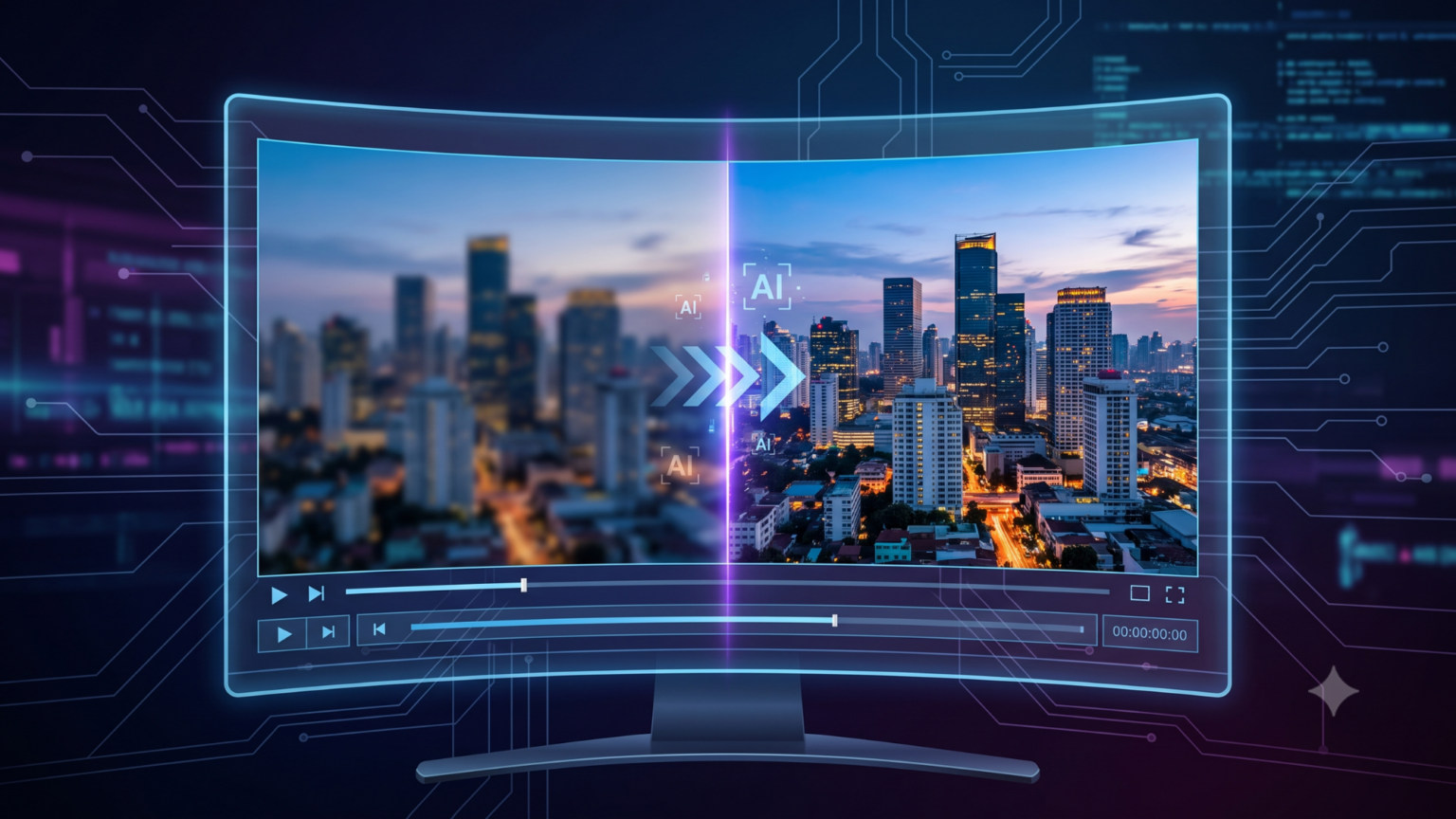
Video quality matters more than ever in 2026. Whether you are creating YouTube tutorials, TikTok clips, Instagram Reels, product videos, travel vlogs, real estate walkthroughs, online courses, or brand ads, viewers judge your content within the first few seconds. If your footage is blurry, shaky, noisy, low-resolution, or poorly lit, even a strong idea can look unprofessional. That is where an AI video enhancer becomes useful.
A modern AI video enhancer is not just a simple sharpening filter. It uses machine learning models to analyze frames, rebuild missing details, reduce noise, improve faces, smooth motion, upscale resolution, fix blur, stabilize footage, and sometimes improve colors. In simple words, it can turn ordinary video into cleaner, sharper, more watchable content with less manual editing.
In this guide, we will explain how AI video enhancement works, what features matter most, which tools are worth considering in 2026, and how to choose the best video quality enhancer for your workflow.
What Is an AI Video Enhancer?
An AI video enhancer is software or an online tool that improves video quality automatically using artificial intelligence. Traditional editors usually apply the same effect to the whole clip. AI tools are smarter because they can detect faces, edges, motion, blur, lighting problems, compression noise, and low-resolution areas frame by frame.
For example, if you upload an old 720p video, an AI enhancer can upscale it to 1080p, 4K, or even higher depending on the tool. If the video has camera shake, some tools can stabilize it. If the footage is noisy because it was recorded in low light, AI noise reduction can clean the image. If motion looks choppy, frame interpolation can generate extra frames to make movement smoother.
Why Video Quality Enhancement Is Important in 2026
The competition for attention is very high. Almost every platform now supports high-resolution video, and audiences are used to clean visuals. Low-quality footage can reduce watch time, hurt brand trust, and make your content feel outdated.
AI video enhancement is especially useful for creators who record on phones, businesses that want professional product videos, YouTubers restoring old clips, social media managers repurposing content, online teachers improving tutorials, and real estate agents polishing walkthrough videos. A good tool can save hours because it automates tasks that normally require advanced editing skills.
Key Features to Look For in a Video Quality Enhancer
Before choosing any tool, check these features carefully.
1. AI Upscaling
Upscaling increases video resolution. A normal upscaler stretches pixels, but AI upscaling tries to recreate missing details. This is useful when converting 480p or 720p footage into HD, 4K, or 8K output. However, higher resolution does not always mean better quality. The source video must still have enough visual information for the AI to work with.
2. Noise Reduction
Noise appears as grain, dots, or messy texture, especially in low-light recordings. AI noise reduction can make footage cleaner while preserving important details like skin texture, text, and object edges.
3. Deblurring and Sharpening
Motion blur, focus problems, and compression blur can make video look soft. AI deblurring and sharpening tools help recover clarity. The best tools avoid over-sharpening because too much sharpness can create halos and unnatural edges.
4. Stabilization
Shaky handheld footage can distract viewers. Stabilization smooths camera movement. Some advanced tools can fill missing edges after stabilization, but this may increase processing time.
5. Frame Interpolation
Frame interpolation creates new frames between existing frames. It is useful for converting 24fps or 30fps footage into smoother 60fps video or creating slow-motion clips. This feature is powerful, but it can create artifacts in fast motion scenes, so previewing the output is important.
6. Color and Lighting Improvement
Some tools can improve brightness, contrast, and color balance automatically. This is useful for quick social media content, but professional editors may still prefer manual color grading.
Best AI Video Enhancer & Upscaler Tools in 2026
1. Topaz Video AI
Topaz Video AI is one of the most popular choices for serious video enhancement. It is designed for creators, editors, filmmakers, and restoration work. It is especially strong for upscaling, detail recovery, motion deblur, stabilization, and frame interpolation.
Topaz is a good choice if you work with old footage, low-resolution videos, documentary clips, or client projects where quality matters. It gives more control than many online tools, but it also needs stronger hardware and more processing time. If you want professional output and you are comfortable testing different settings, Topaz Video AI is a strong option.
Best for: professional upscaling, archive restoration, YouTube content, client work.
2. CapCut AI Video Upscaler
CapCut is popular because it is easy to use and friendly for beginners. Its AI upscaling and enhancement tools are useful for short-form creators who need quick improvements without learning complex software. You can use an AI video enhancer like CapCut to improve clarity, reduce blur, and prepare videos for TikTok, Instagram, YouTube Shorts, and other social platforms.
CapCut is not always the best choice for heavy restoration or advanced professional workflows, but it is excellent for fast edits, mobile creators, and social media teams.
Best for: short videos, social media clips, beginner-friendly enhancement.
3. Krea Video Upscaler
Krea is becoming a strong creative AI platform for images and videos. Its video upscaling tools are useful for creators who want a cloud-based workflow instead of installing heavy desktop software. Krea is also attractive for people who already use AI image generation and creative editing tools.
The main advantage is convenience. You can upload clips, enhance them online, and use the output in your content workflow. It is a good choice for creators who want modern AI features without building a powerful editing PC.
Best for: cloud upscaling, creative AI users, quick quality upgrades.
4. TensorPix
TensorPix is an online video enhancer focused on easy video quality improvement. It can upscale videos, improve clarity, and help users process clips without complicated software. For small businesses, content creators, and marketers, this type of tool is useful because it reduces the need for technical editing knowledge.
TensorPix is a practical option if you want a simple browser-based solution. It may not offer the same deep controls as desktop tools, but its simplicity makes it attractive for quick jobs.
Best for: online video enhancement, marketers, small business content.
5. HitPaw VikPea
HitPaw VikPea is another AI video enhancer and upscaler tool aimed at improving blurry, low-resolution, and old videos. It includes multiple AI models for different use cases, including general enhancement, face improvement, denoising, and upscaling.
This tool is useful for beginners who want guided enhancement instead of manually adjusting many settings. It is also a good option for people restoring family videos, old mobile clips, and social media content.
Best for: beginners, old videos, face enhancement, quick upscaling.
6. AVCLabs Video Enhancer AI
AVCLabs offers AI-powered video and image enhancement tools. It is useful for users who want to enhance, upscale, restore, and improve videos with a simple workflow. AVCLabs can be a good option for creators who need automatic enhancement and do not want a complicated editing timeline.
It is especially helpful for restoring older footage, improving soft videos, and preparing content for modern platforms.
Best for: restoration, automatic enhancement, simple workflow.
7. Adobe Premiere Pro
Adobe Premiere Pro is not only a traditional video editor; it now includes more AI-assisted features for faster editing. It is useful for creators who want enhancement, editing, audio cleanup, captions, timeline control, and professional export options in one place. If you need a complete video editor rather than only an upscaler, Premiere Pro is one of the strongest choices.
Premiere Pro is best for users who need full control over a project, not just one-click enhancement. You can combine AI features with color grading, audio tools, effects, transitions, and professional delivery settings.
Best for: professional editing, YouTube channels, agencies, business videos.
8. DaVinci Resolve
DaVinci Resolve is known for color grading, editing, audio, and visual effects. Its newer AI tools make it even more useful for professional workflows. Features like sharpening, motion deblur, face-related tools, object search, and advanced color controls make it a strong choice for editors who want both quality and control.
The free version is powerful, while the Studio version unlocks more advanced features. DaVinci Resolve is ideal for creators who want a long-term editing platform rather than a simple online enhancer.
Best for: advanced editors, color grading, professional video production.
9. Runway
Runway is different from normal video enhancers because it focuses heavily on generative AI video creation and editing. It can help with creative video generation, scene changes, visual experiments, and AI-powered workflows. For enhancement only, it may not replace a dedicated upscaler, but for creators who want to combine AI video generation with editing, Runway is worth exploring.
Best for: AI video generation, creative projects, experimental editing.
How to Choose the Best AI Video Enhancer
The best tool depends on your goal. If you want the highest quality restoration, choose Topaz Video AI. If you want fast social media enhancement, CapCut is easier. If you want browser-based upscaling, Krea or TensorPix can be useful. If you need full editing control, Adobe Premiere Pro or DaVinci Resolve is better. If you want creative AI generation, Runway is a strong option.
Also consider output resolution, processing speed, hardware needs, file privacy, watermarks, export formats, and natural-looking results. Avoid tools that make faces plastic, edges too sharp, or text distorted.
Best Workflow for Enhancing Video
For best results, start with the highest-quality source available. Do not upload a heavily compressed file if you still have the original. Clean the footage in steps: first remove noise, then fix blur, then upscale, then color correct, and finally export.
If your clip has faces, preview the face details before final export. Some AI tools improve faces beautifully, while others can create an artificial look. If the video has text, signs, or logos, check them carefully because AI upscaling can sometimes distort letters.
For social media, do not overdo enhancement. A clean 1080p or 4K video is usually enough. For professional projects, test short samples before processing a full video. This saves time and helps you choose the best settings.
Common Mistakes to Avoid
One common mistake is thinking AI can fix everything. If a video is extremely blurry, too dark, or badly compressed, AI can improve it but may not make it perfect. Another mistake is using maximum settings without testing. Higher settings can increase artifacts, file size, and processing time.
Avoid over-sharpening. Natural detail looks better than fake detail. Also avoid changing frame rate without a reason. A cinematic video may look better at 24fps, while sports, gaming, or action clips may benefit from 60fps.
Finally, keep backups of your original footage. AI enhancement is useful, but you should always preserve the source file in case you need to re-edit later.
Final Verdict
AI video enhancement has become one of the most useful content creation trends of 2026. It helps creators improve old footage, upgrade low-resolution clips, reduce blur, clean noise, stabilize shaky scenes, and prepare videos for modern platforms. The right tool depends on your needs: Topaz Video AI is great for professional enhancement, CapCut is perfect for quick social media content, Krea and TensorPix are convenient online options, HitPaw and AVCLabs are beginner-friendly, while Adobe Premiere Pro and DaVinci Resolve offer complete editing workflows.
For creators and businesses, the smart approach is simple: use AI to save time, but still review the final video with human judgment. A clean, natural, well-edited video will always perform better than an overprocessed clip.
If you regularly create content, publish tutorials, review tools, or explore digital trends, zingyzon can be a helpful place to build and organize your content strategy around modern AI tools, editing workflows, and online growth.

Keep Exploring Zingyzon.com
Read more Zingyzon SEO, digital marketing, online earning, business, and technology guides for Australia, USA, and global readers.