
How to Read Solar App: A Complete Guide for Homeowners
If you have solar panels installed, you already know the benefits of clean and renewable energy. But to truly maximise […]

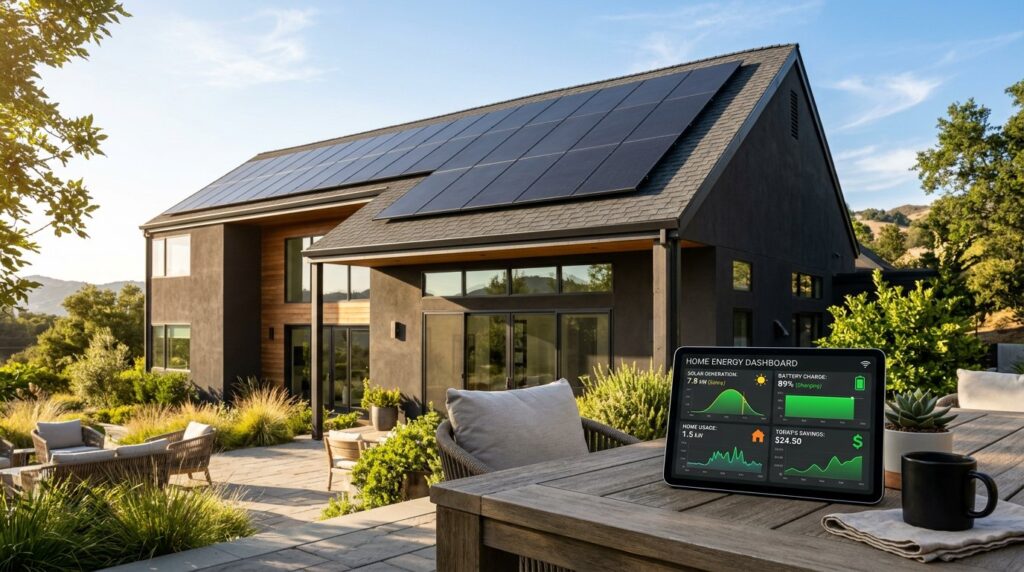
If you have solar panels installed, you already know the benefits of clean and renewable energy. But to truly maximise your system’s performance and savings, you need to understand how to read your solar monitoring app.
Your solar app provides valuable insights into how much energy your panels are generating, how much you are using, and how much you are sending back to the grid. This information helps you use your solar energy more efficiently and keep your system performing at its best.
This guide explains everything you need to know about how to read your solar app and get the most from your investment.
1. Check You’re on a Good Energy Deal
Before diving into the data, make sure your electricity plan supports your solar setup.
A high feed-in tariff (FiT) can be appealing, but some energy plans with high FiTs may also have higher electricity usage rates. This can reduce your overall savings.
When comparing retailers:
- Review both your feed-in tariff and your electricity rates.
- Ensure you are not paying extra during peak times.
- Choose a plan that offers balanced rates for both imported and exported electricity.
Some energy providers, such as Powershop, allow customers to view solar feed-in and usage data directly through their apps, which makes tracking much easier.
2. Understanding the Solar App Dashboard
While solar monitoring apps may vary, most include the same key sections that help you understand your system’s performance.
Daily Feed-In
Shows how much solar energy your system sent to the grid that day, measured in kilowatt-hours (kWh).
Half-Hourly Feed-In
Displays the amount of solar power exported to the grid every 30 minutes. This helps you identify your system’s peak generation times.
Total Daily Feed-In
Provides the total energy exported to the grid for the day. This is a useful figure to compare across days or weeks to monitor consistency and performance.
By reviewing these sections, you can easily see when your panels are producing the most energy and adjust your usage accordingly.
3. Use Your Energy When Production is Highest
It is generally more cost-effective to use the energy your system generates rather than exporting it to the grid.
Feed-in tariffs today are lower than they once were, so self-consumption is the most efficient way to save on your bills.
Use the data in your app to identify when your system produces the most energy and try to schedule your energy-hungry tasks for those hours.
For example:
- Run the dishwasher or washing machine during midday when solar production peaks.
- Set timers for appliances like pool pumps or water heaters to operate during daylight hours.
- Charge electronic devices when your solar panels are generating electricity.
By doing this, you can significantly reduce your reliance on grid power and lower your electricity costs.
4. Monitor Solar Panel Performance
Your solar app is also an important tool for monitoring the health of your solar system.
If you notice a consistent drop in daily energy generation even on sunny days, it could indicate a problem such as:
- Dust or dirt buildup on the panels
- New shading from trees or nearby structures
- Faulty wiring or inverter issues
Never attempt to inspect or clean panels on your own. Always hire a qualified solar maintenance technician to carry out cleaning and safety checks. Regular maintenance ensures your system performs efficiently and safely.
5. Track Usage and Stay Informed
Regularly checking your solar app helps you understand your household’s energy habits.
You can learn:
- When your home uses the most electricity
- Which times of day are best for running certain appliances
- How weather or seasonal changes affect your system’s performance
This awareness helps you make informed decisions that maximise both your solar output and your energy savings.
6. Combine Solar Insights with Smart Technology
Some solar apps can connect with smart home systems and energy meters. By linking your app to smart plugs or devices, you can automate your home to use solar power at optimal times.
For example, a smart plug could automatically turn on your washing machine or air conditioner when your solar generation is at its peak. This makes managing your energy even more efficient.
Conclusion
Learning how to read your solar app is the key to maximising your solar investment. By understanding your production data, monitoring feed-in patterns, and adjusting your energy usage, you can lower your bills and improve efficiency.
Keep your panels clean, track performance regularly, and take advantage of your app’s data to make smart energy decisions. The more you understand your solar system, the more value and savings you will gain over time.
Keep Exploring Zingyzon.com
Read more Zingyzon SEO, digital marketing, online earning, business, and technology guides for Australia, USA, and global readers.